
Reviewed · TOKYO
Unlimited WiFi Router – Haneda Airport (Tokyo) Pickup
Getting online fast in Japan matters.
This Haneda Airport WiFi pickup is built for that first win: you collect your rental at the airport and can start using data right away, instead of hunting for a sim or guessing your way through Tokyo. The setup is designed to be simple, and the router is meant to support you for trips ranging from a few days to up to 90 days.
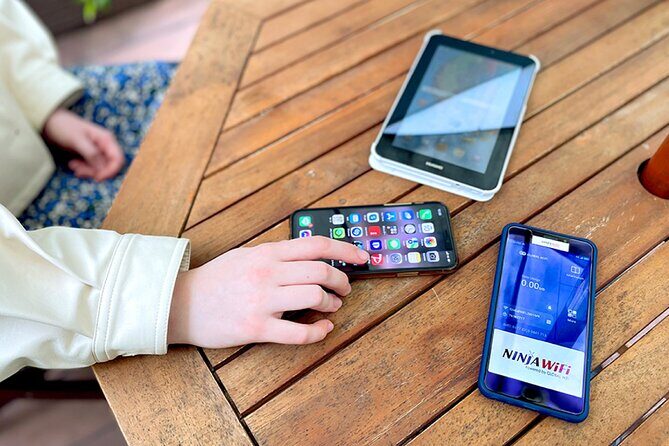
What I like most is how straightforward the handoff feels. The process is set up around the NINIJA Wi‑Fi counter (and nearby partner counters), and you just show the reservation info and your passport to get moving.
One thing to keep in mind: even though it’s described as unlimited, high-speed data is limited to 3GB per day, and in one place to be careful is communication during busy moments (one review complained about English help and a slow hunt for paperwork).
In This Review
- Key things to know before you queue
- Where you pick up the NINIJA router at Haneda (and how not to miss it)
- The real deal on unlimited WiFi: 4G LTE plus the 3GB/day speed limit
- What’s in the box: more than just a router
- Using it like a local: maps, rides, and everyday apps
- Battery life reality: plan for the first full day, then top up
- How the return works at Haneda (and the one mistake to avoid)
- Price value: why this costs so little (and when it’s worth it)
- Who should book this Haneda WiFi pickup
- Should you book it?
- FAQ
- FAQ
- How long can I use the WiFi router?
- Where do I pick up the router at Haneda?
- What are the pickup hours?
- Is there a return box if I can’t make the counter hours?
- How many devices can connect?
- Does the plan include unlimited data?
- What’s included besides the router?
- What do I need to collect it?
Key things to know before you queue

- Haneda pickup window is long: you can collect your router roughly from early morning until late night, depending on terminal.
- Look for the NINIJA counter signs: the pickup is outside security at specific arrivals lobbies.
- Connect multiple devices: the product info says up to 10 devices, while other wording notes up to 5 at once—plan conservatively if you have a big device group.
- Unlimited use, with a 3GB/day high-speed cap: maps and messaging stay realistic; heavy streaming might slow after the daily limit.
- Return is handled with a drop box in the arrivals area at your terminal, not after you leave the airport area.
Before you commit, see how this one stacks up against a few Tokyo favourites:
- Mt Fuji and Hakone 1-Day Bus Tour Return by Bullet Train★ 5.0 · 26,383 reviews
- 1-Day Tokyo Bus Tour★ 5.0 · 14,250 reviews
- Tokyo: teamLab Planets TOKYO Digital Art Museum Entry Ticket★ 4.6 · 9,779 reviews
Where you pick up the NINIJA router at Haneda (and how not to miss it)

At Haneda, you’re dealing with arrivals flows, signage, and time windows. The good news is this rental is set up for people who want internet on arrival—not later.
You collect the router at Haneda Airport outside security, in the arrivals lobby area. The exact counter and hours vary by terminal:
- Terminal 3: pickup/return at the arrivals lobby, labeled Global WiFi x NINJA WiFi. The pickup/return counter hours run about 06:30–23:45. If you’re returning outside those hours, there’s a return box in the same arrivals lobby area where you drop it.
- Terminal 2: pickup/return around the J WiFi & Mobile x Global WiFi counter area, with hours about 06:00–23:00. A return box is also provided in the terminal arrivals area.
Here’s the practical trick: when you step into arrivals, don’t overthink it—scan for the counter branding first, then locate the specific lobby area. A map mismatch was called out in feedback, where the drop-off location is essentially the same area as pickup. So treat this as a one-area job, not a hidden-challenge scavenger hunt.
If you arrive when the airport is busy (and Haneda can be), bring a printed or ready-to-show confirmation plus your passport. Reviews that praised fast pickup also pointed to showing the reservation form and passport, plus clear instructions once you’re at the counter.
The real deal on unlimited WiFi: 4G LTE plus the 3GB/day speed limit
This is a 4G LTE router with unlimited usage, and that combination is what makes it useful for travelers. You can use it for common basics immediately: Google Maps, social apps, and everyday browsing. The listing also mentions video use like YouTube, which is exactly where many people get nervous about speed and data caps.
So the key detail is this: high-speed data is limited to 3GB per day. After that, you’re still connected, but you should expect throttling (or reduced speeds). You can plan around it like this:
- For navigation, rides, restaurant lookups, messaging, and browsing: you’ll usually be fine even on a short daily limit.
- For long video sessions, uploading photos constantly, or streaming for hours each day: you may feel the daily cap.
If your itinerary includes things like Disney parks, museums with tons of photo uploads, or multiple long transit days, you’ll probably want to use WiFi strategically (download offline maps for walking days if your phone supports it, and batch uploads when you’re on a slower day).
One more practical point: different parts of the description mention different device limits. The tour summary says it’s good for up to 10 devices, but other product wording says up to 5 devices at once. If you’re traveling as a group, don’t assume you’ll comfortably run the maximum count. In real life, too many devices can mean slower connections and more battery drain.
What’s in the box: more than just a router
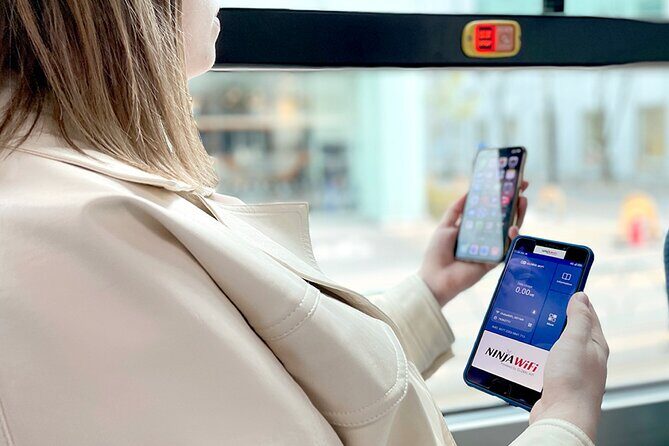
This rental isn’t only the router. You also get the stuff that keeps you from getting stuck once you’re outside the airport.
Included items (based on the info provided):
- Wi‑Fi router for the rental period
- USB cable
- adapter
- a Wi‑Fi pouch
- a power bank
That power bank matters because the first day is always the most chaotic. You’ll be taking photos, checking maps, maybe translating menus, and trying to find your way to the train line. With a power bank bundled, you reduce the chance of your day ending with a dead phone and a half-unclear route.
Also, the router is meant to run for your trip length. The product info says it can last up to 90 days, which is a wide window. Even if you only need it for a week or two, you’re getting flexibility, especially for multi-city itineraries inside Japan where your phone data plan might not work the way you want.
Using it like a local: maps, rides, and everyday apps

This is the kind of WiFi rental that’s less about entertainment and more about not getting stuck. When your phone can do maps reliably, everything gets easier:
- You can confirm which exit to take at a station (and you will thank yourself for that).
- You can double-check train and bus routes when plans shift.
- You can read and translate on the fly when signs are confusing.
- You can stay in touch without worrying about roaming charges.
The reviews leaned positive on “works right away” and “reliable connectivity,” which is exactly what you want on day one. There’s also a specific mention of good connectivity while visiting the Disney parks, which makes sense: theme parks are dense, with lots of phone usage competing for network resources.
If you’re traveling with multiple people, the device limit becomes important. You’ll likely have one person running maps while others browse social media or message home. Keep an eye on who’s streaming video, because that’s where the 3GB/day speed cap can get used up quickly.





Battery life reality: plan for the first full day, then top up

Your biggest fear with airport WiFi rentals is always the same: will it die on you?
The provided information says it’s designed for the trip duration, and one review specifically noted that the device had enough battery for the whole day with no need to charge immediately. That’s a comforting baseline.
Still, I’d treat this like any hotspot:
- Top up after dinner or when you’re settled at your hotel.
- Don’t wait until the middle of the day if you can avoid it.
- Keep your charging kit small and accessible.
Because if the router battery gets low, you can lose both navigation and communication at the moment you’re most likely to need it.
How the return works at Haneda (and the one mistake to avoid)

Returning airport WiFi feels simple until you’re tired, late, or stuck in transit. Here, the rental provides two return options depending on terminal:
- Return during counter hours at the same arrivals lobby area as pickup.
- Use the return box when counter hours are closed (again, in the arrivals lobby area at the terminal).
A review called out a map error where the drop-off location looked different than pickup, but in practice they were the same area. So don’t over-interpret the map. Focus on the terminal arrivals lobby branding and the return box instructions.
Also, one practical note: there’s no refund if you don’t collect the router. That means if your flight is delayed and you’re thinking of skipping pickup entirely, you’ll want a plan before you land. Even if pickup hours are generous, delays happen.
If you’re returning late at night, check the terminal-specific window so you don’t show up to a closed counter expecting to return it like a morning drop-off.
Price value: why this costs so little (and when it’s worth it)

At $14.48 per person, this is priced like a quick, useful tool rather than a premium add-on. The value is tied to one thing: reliability on arrival. You’re paying to avoid the early-day scramble of setting up data, fighting with language barriers, or paying more per day for a plan that may not cover your whole route.
Where the value gets even better:
- If you’re moving around (multiple neighborhoods, transit-heavy days).
- If you need your phone for navigation constantly.
- If you’re traveling with more than one person or device and want one shared hotspot.
Where it might not be the best fit:
- If your itinerary is short and you only need data for light use.
- If you plan to stream large amounts of video every day (because the 3GB/day high-speed limit may affect your experience).
One more nuance: the rental durations offered range from about 3 to 30 days (with up to 90 days mentioned for the device capability). If your plans are flexible or long, you’re less likely to feel boxed in by a short rental window.
Who should book this Haneda WiFi pickup

This works best for travelers who want:
- Fast connectivity on landing
- Reliable maps and day-to-day phone use
- A simple airport pickup outside security
- A plan that supports multiple devices (within the listed device limit)
It’s especially useful if you’re the group member who normally handles directions. With hotspot WiFi, everyone can stay connected and you can keep your phone charged and your routes updated.
It’s a little less ideal if your travel style is ultra-streaming-heavy and you don’t want to think about daily data usage. You can still use it, just expect speed limitations after the daily high-speed amount.
Also, if you’re sensitive to communication issues, bring patience. One low rating included complaints about English support and paperwork retrieval taking longer than expected. That doesn’t mean it will happen to you, but it’s a real reminder to prepare your confirmation and not count on slow back-and-forth.
Should you book it?
I’d book this if you want internet immediately at Haneda and you’ll use your phone for navigation and regular apps. The strongest selling point is the airport pickup flow: it’s designed to be quick, and the positive feedback around easy pickup and instant working WiFi lines up with what you need on arrival day.
I’d think twice only if your trip is all about heavy streaming every day or if you’re arriving with paperwork chaos (missing confirmation, unclear names, or last-minute confusion). In those cases, the 3GB/day high-speed limit and the possibility of slow staff help could become annoying fast.
If you’re a practical traveler who values “get online, then enjoy the city,” this is a very reasonable buy.
FAQ
FAQ
How long can I use the WiFi router?
It’s described as good for up to 90 days, and the rental duration options listed include ranges from about 3 to 30 days.
Where do I pick up the router at Haneda?
You pick it up in the arrivals area outside security. The counters are in Terminal 3 (Global WiFi x NINJA WiFi) and Terminal 2 (J WiFi & Mobile x Global WiFi).
What are the pickup hours?
Terminal 3 pickup/return counter hours are shown as 06:30–23:45. Terminal 2 pickup/return counter hours are shown as 06:00–23:00.
Is there a return box if I can’t make the counter hours?
Yes. Each terminal description includes a return box in the arrivals lobby area for after-hours returns.
How many devices can connect?
The summary says up to 10 devices, while other wording notes it can connect up to 5 devices at once. If you’re traveling with many devices, plan conservatively.
Does the plan include unlimited data?
It’s described as unlimited usage. However, high-speed data is limited to 3GB per day.
What’s included besides the router?
You receive the router plus a USB cable, adapter, a Wi‑Fi pouch, and a power bank.
What do I need to collect it?
You should have your reservation confirmation (you’ll receive confirmation at booking) and bring your passport, since that’s what was referenced as useful for quick pickup.
—
If you tell me your trip length and whether you’ll be streaming video a lot, I can sanity-check how the 3GB/day high-speed limit might feel for your exact style of travel.
More Tour Reviews in Tokyo



Fresh reviews from around Tokyo





Tokyo, compared.
 ★ 5.0Mt Fuji and Hakone 1-Day Bus Tour Return by Bullet TrainFrom $16326,383 reviews
 ★ 5.01-Day Tokyo Bus TourFrom $12914,250 reviews
 ★ 4.6teamLab Planets TOKYO Digital Art Museum Entry TicketFrom $259,779 reviews
 ★ 4.0Mt Fuji & Hakone Cruise, Drum Show Bullet Train 1 Day from TokyoFrom $1497,413 reviews
 ★ 5.0Shinjuku Food Tour (13 Dishes at 4 Local Eateries)From $866,603 reviews
 ★ 4.4Tokyo Mt Fuji 5th St & Hakone Cruise Bus Tour w/Bullet TrainFrom $1545,024 reviews
 ★ 5.0Flagship 2-Hours Official Street Go-Kart Tour – Tokyo Bay ShopFrom $644,974 reviews
 ★ 4.5From Tokyo: Mount Fuji Full-Day Sightseeing TripFrom $684,970 reviews